Find the stage that failed
TikTok Download Not Working?
A TikTok download can fail before extraction, while the media service is responding, or when the browser tries to save the final file. Start with the exact SSSTikVid message, then check the source link and browser separately instead of repeating the same request.
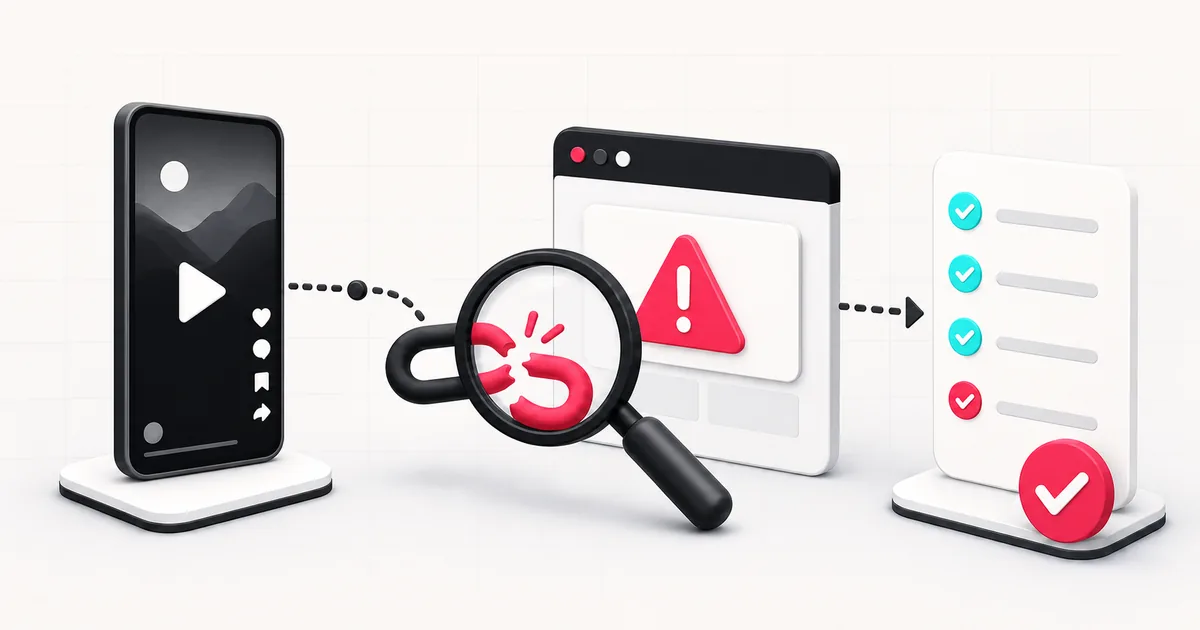
Steps
- 1
Read the message before retrying
Note the displayed code and request ID when present. They distinguish a bad URL, unavailable content, service problem, and final download problem.
- 2
Check the source without your account session
Open the copied link in a private or signed-out browser window. A post that needs login, follower access, an age check, or regional access may not be public to the gateway.
- 3
Copy the individual post link again
Return to the video, slideshow, or Story and use Share > Copy link. Avoid profiles, search pages, hashtags, sound pages, and copied text.
- 4
Retry once or stop
Retry a temporary timeout once after a short pause. Do not keep retrying a private, deleted, or rate-limited source.
- 5
Check the browser if a result appeared
When the media cards load, extraction succeeded. Open the browser download history and security notices to diagnose the final save step.
| Message or symptom | What it means | Useful next action |
|---|---|---|
| INVALID_REQUEST | The URL is missing, malformed, not HTTPS, not TikTok, or not an accepted post path. | Copy the individual post link from TikTok and submit it once. |
| CONTENT_UNAVAILABLE | The source cannot be used at this time. | Check whether it still opens publicly without your TikTok session. |
| PROTECTED_POST | The source is private or protected. | Do not send login data. Ask the owner for an authorised copy. |
| DELETED_POST | The post was deleted or is no longer available. | Confirm the source status. SSSTikVid cannot restore it. |
| NO_MEDIA | No downloadable media asset was found for the submitted source. | Check the post type and use the matching video, photo, MP3, or Story page. |
| NO_AUDIO_TRACK | No usable audio track was returned. | Use a video option, or choose another post that contains playable audio. |
| GATEWAY_TIMEOUT | The media service did not answer within the request window. | Wait briefly and retry once with the same public link. |
| GATEWAY_ERROR | The media service is temporarily unavailable or rejected the request. | Keep the request ID, wait, and retry once later. |
| INVALID_GATEWAY_RESPONSE | The service returned data SSSTikVid could not safely use. | Stop retrying and report the request ID if the problem repeats. |
| INVALID_DELIVERY_URL | A returned file location failed SSSTikVid's delivery checks. | Do not try to open an upstream URL. Report the request ID. |
| RATE_LIMITED | Too many requests were sent in a short period. | Stop submitting the link and wait before trying again. |
| Result appears but no file is saved | Extraction worked, but the browser blocked, opened, or redirected the file. | Open the browser download list and read its warning or status. |
Separate link errors from availability errors
A link error means the URL itself does not match the accepted TikTok host and post patterns. An availability error means the URL shape is valid but the underlying post is private, deleted, expired, audience-limited, or unavailable to the public gateway.
Changing “www” to “m” or editing a short link by hand does not fix source availability. Copy the link from TikTok again and preserve its destination.
Why TikTok may open while SSSTikVid fails
Your normal TikTok tab may carry an account session with access the public gateway does not have. The post might be followers-only, age-gated, region-limited, or otherwise visible to you but not to a signed-out request.
The private-window check is useful because it removes most account-session access. It does not guarantee that every publicly visible post will return downloadable media.
Short links and redirects
The validator accepts vm.tiktok.com and vt.tiktok.com links with a non-empty path. The short URL still has to resolve to a supported TikTok post or active Story that remains publicly available.
If a short link was copied incompletely from a message, open it first and copy the destination from TikTok. Do not paste surrounding punctuation or several links into the field.
When video works but MP3 or photos do not
A post can return a video without a separate usable audio asset. In that case the MP3 page may show no audio option or a NO_AUDIO_TRACK message. A video post also cannot be turned into a slideshow simply because it contains several scenes.
Use the photo page for an actual TikTok photo post. Use MP3 only when the source contains playable audio and the conversion can finish.
When the browser blocks the final file
Once a media result appears, the original TikTok link has already passed extraction. Check the browser download history for a security warning, incomplete transfer, duplicate, changed location, or opened preview.
Do not disable browser protection globally. Verify the SSSTikVid hostname and expected file type, then follow the device-specific guide for the browser you are using.
Report a reproducible problem
Send the page you used, browser, operating system, approximate time, displayed error code, and request ID. Explain whether the failure happened before media appeared or after you pressed a file download.
Do not email account credentials, cookies, private post links, or downloaded media. A public test URL you own or are authorised to share can be useful, but it is not required for an initial report.
Questions users ask
Should I keep pressing Download?
No. Repeated requests do not make a private or deleted post public and can lead to rate limiting or duplicate files.
Why does TikTok open but SSSTikVid fails?
Your TikTok session may have access that a public, signed-out request does not, or the gateway may be temporarily unavailable.
Does changing the TikTok hostname fix a failed link?
No. Use the URL copied from the post. Editing a hostname does not make private, deleted, or restricted content available.
What should I do with a GATEWAY_TIMEOUT message?
Wait briefly and retry once. If the same public link repeatedly times out, keep the request ID and report the problem.
Why is there no MP3 button?
The post may have no usable audio track, or audio conversion may not be available. Use a video option when one is shown.
What information is safe to send to support?
Send the error code, request ID, page, browser, operating system, and approximate time. Do not send passwords, cookies, or private URLs.